Thursday, September 5, 2013

Sony introduces Xperia Z1 with 20.7 megapixel camera

Sony currently launched its new smartphone Xperia Z1 at IFA 2013 in Berlin with a 20.7 megapixel camera and similar most other Xperia smartphones, this one is waterproof and dustproof as well.

Sony Xperia Z1
Sony Xperia Z1
The rumour mill is abuzz that Sony's next smartphone will feature a 20.7-megapixel rear camera escorted by G lens and BIONZ mobile image processing engine. Looking at flagships from main competitors such as the Nokia Lumia 1020 boasting PureView technology and the HTC One sporting the Ultra Pixel technology, we can expect Sony to come with some new invention in its camera sensors.

The 5-inch full HD screen phone has 2GB RAM and 16 GB memory space. It runs Android 4.2 Jelly Bean and also has support for a MicroSD slot up to 64 GB.It has a Qualcomm Snapdragon 800 quad-core 2.2 Ghz processor, 3000 mAh battery and supports 4G LTE. The front camera is 2 megapixel. The phone has an aluminum frame.

Sony Xperia Z1 at a glance
  • General: Quad-band GSM/GPRS/EDGE, penta-band UMTS/HSPA, 100 Mbps LTE
  • Form factor: Water-resistant camera phone
  • Dimensions: 144 x 74 x 8.5 mm, 170g
  • Display: 5" 16M-color 1080p (441ppi) capacitive touchscreen TFT Triluminous display with X-Reality and OptiContrast
  • Chipset: Qualcomm MSM8974 Snapdragon 800, quad-core 2.2 GHz Krait 400, Adreno 330, 2GB
  • OS: Android 4.2 Jelly Bean
  • Camera: 20.7MP camera with 1/2.3" Exmor RS sensor and Sony G Lens, F/2.0 aperture; 2MP front-facing camera
  • Video camera: 1080p video capture with HDR mode
  • Memory: 16GB storage, microSD card slot, up to 64GB
  • Connectivity: Wi-Fi a/b/g/n, Wi-Fi hotspot, Bluetooth 4.0, standard microUSB port with MHL and USB host, GPS receiver with A-GPS, 3.5mm audio jack, NFC
  • Battery: Sealed 3,000mAh battery
  • Misc: IP58 certified - dust-sealed and water resistant beyond 1 meter; shatter proof and scratch-resistant glass for the front and the back panel, metal frame on the sides
Posted By Prashant K Neelratan

Tuesday, September 3, 2013

Top 10 Windows Mobiles

Greatest Windows Phone - which should you purchase?

While Android and iOS lead the way when it comes to mobile operating systems, you can draw countless similarities between the two which may leave you feeling like you want something different. A fresh start, a new viewpoint.

That's exactly what Windows Phone 8 offers with a totally new manner of providing you with your smartphone fill.

1. Nokia Lumia 520


Lumia 520

Generally the number one place in our topmost lists is claimed by a powerful, leading smartphone but as you can see here that's not always the case will the extremely reasonable Lumia 520 grabbing the "Greatest Windows phone" title.


While it may not have an unreasonable amount of power, super-sized screen or market leading camera, what the Lumia 520 does offer is the perfect smartphone experience on a budget.
It's got a decent spec sheet for such a intensely priced device with a 1GHz dual-core processor, 4-inch display, 5MP camera and micro SD card slot to make up for a small internal storage.


2. Nokia Lumia 920


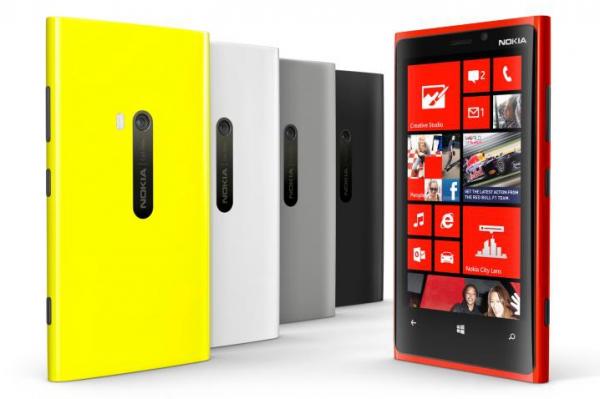
Nokia Lumia 920

What's better than a top Windows Phone 7 handset? A Windows Phone 8 one, and we've got no doubts about telling you the Lumia 920 is one of the best Windows Phone out there.

Simplicity is the key here, the Lumia 920 does the basics well, from contact integration and calling, to web browsing and messaging – and yes its 4G enabled also.

The 8MP camera on the rear of the Lumia 920 is one of the best we've used and for anybody observing to get a top end camera phone you need to extremely consider this Nokia.

3. Nokia Lumia 820


If you're budget is not big, or your hands are a little smaller, you may want to take a look at the Nokia Lumia 820, which still delivers you with the full Windows Phone 8 experience on a somewhat smaller screen.

The 4.3-inch AMOLED display is motionless a strong performer, while the camera comes with the Nokia class that we've come to expect.

It still has the fancy behaviors of Lumia 920, with wireless charging, 4G, NFC connectivity, but it also brings changeable covers so your phone can reflect your mood – thrilling times.

4. Samsung Ativ S

Samsung Ativ S

The Samsung Ativ S is one of the silent supermen of the Windows Phone 8 group, a handset which hasn't been thrust into the limelight and while it may be a little tricky to get hold of you won't be upset.

Sporting a similar design to its Android toting brother the Galaxy S3 the Korean firm works on its charming design formula

With a 4.8-inch display it's already the sort of phone that may poke out of your pocket, so the thin design is greatly loved.

5. Nokia Lumia 720

Nokia Lumia 720

The Nokia Lumia 720 lands slap bang in the mid of the Finnish firm's Windows Phone 8 line up and thus also packs a middling price tag to boot.

There's not a vast amount to pick between the 720 and Lumia 620 - with the former sporting a squarer designer and somewhat bigger screen.

Windows Phone 8 works flawlessly, and easily on the Lumia 720 and the camera round the rear is capable of taking some solid shots.


6. Nokia Lumia 620

Nokia Lumia 620

Once upon a time in Nokia Lumia family, the Nokia Lumia 620 was the baby, but with the 520 now on the scene it has been bounced up a nick.

The Nokia Lumia 620 is a great little phone. While it can't compete with most other Windows Phone 8 handsets, such as its bigger brother the Lumia 820 with a price tag of just £150 it doesn't have to.Its performance is usually smooth and responsive, the screen isn't bad at all for such a budget phone.

The battery is the single biggest problem with the Nokia Lumia 620. Most users will maybe get complete a day on a single charge, but if you plan to watch a lot of videos then you might want to transport a charger with you just in case.


7. HTC 8X

HTC 8X

Microsoft decided to avoid Nokia when it came to defending Windows Phone 8, instead choose the HTC 8X to be the signature device for its new OS.

While the 8X is by far the best looking of the Windows Phone 8 group it unfortunately doesn't have the ability under the cover to match the powerhouse which is the Lumia 920.You do grow Beats Audio technology and a couple of amplifiers to improve your tunes through the internal speaker as well as the headphone jack.

It's by no means a bad phone, it's just not the best Windows Phone 8 handset out there.


8. HTC 8S


The HTC 8S is a solid phone. It's got an attractive and unique style, which both fits with the colorful Windows Phone beautiful and stands out from the pack.

It's also amazingly slick and fast for a mid-range phone. It's even got the edge over the top end Windows Phone 8 handsets in at least one area- exactly the inclusion of a micro SD card slot, which is absent on both the Nokia Lumia 920 and the HTC 8X.

On the other side the battery is average at best, web browsing can be a minute slow and it doesn't do much to stand out in the apps or media department. 

9. Huawei Ascend W1


The Huawei Ascend W1 is a unique Windows 8 phone in that it is an open market phone sold completely at Wal-Mart stores. This phone is not available via the major wireless providers.

The Ascend has only 4GB of internal storage, which is low sufficient that the other phones are smirking at it. In fact, the next lowest Windows mobile phone in this category doubles that amount. There’s 512MB of RAM, which will limit its multi-tasking ability significantly. It houses a dual-core 1.2 GHz processor.

The display screen is 4 inches diagonally with a 480 x 800 screen resolution.


10. Nokia Lumia 521


The Nokia Lumia 521 has 8GBs of built-in storage, which is normally considered meager compared to other Windows phones. There’s half a GB of RAM (or 512 MB), which means it can’t handle many tasks at once without some significant braking. To add its troubles of slow performance, it only has a 1GHz processor. This is the lowest rating of all Microsoft phones.

You’ll get a 4-inch IPS LCD screen with 480 x 800 resolution. This is about what we’d expect from a base model, and is just the right size for some users. Basically the screen is satisfactory, but it's nothing to write home about.


Monday, September 2, 2013

Public | Private | Hybrid Cloud Computing

Kinds of Cloud Computing: Private, Public and Hybrid Clouds

Public and Private Cloud
By cloud computing technology, big pools of assets can be associated through private or public networks. This technology simplifies infrastructure arrangement and offers dynamically scalable infrastructure for cloud based applications, data and file storage. Businesses can choose to deploy applications on Public, Private, and Hybrid.
What are the differences between these types of cloud computing, and how can you define the right cloud route for your organization? Here are some essentials of each to help with the decision-making process.

Public Cloud

Public clouds are ready available to the universal public by a service provider who hosts the cloud infrastructure. Usually, public cloud providers like Amazon AWS, Microsoft and Google own and operate the infrastructure and offer access over the Internet. With this model, customers have no control over where the infrastructure is situated. It is important to note that all customers on public clouds share the same infrastructure pool with limited configuration, security protections and availability variances.

Public Cloud consumers benefit from economies of scale, because infrastructure costs are spread across all users, allowing each individual client to operate on a low-cost, ‘pay-as-you-go’ model. Additional benefit of public cloud infrastructures is that they are typically larger in scale than an in-house enterprise cloud, which provides clients with seamless, on-demand scalability. These clouds offer the highest level of efficiency in shared resources; however, they are also more vulnerable than private clouds.

The main benefits of using a public cloud service are:
  • Easy and inexpensive set-up because hardware, application and bandwidth costs are protected by the provider.
  • Scalability to meet needs.
  • No wasted resources because you pay for what you use.
Warning : In IT sector executives are worried about public cloud security and dependability. Take extra time to confirm that you have security and authority issues well planned, or the short-term cost savings could turn into a long-term incubus (khwab).

Private Cloud

Private cloud is cloud infrastructure dedicated to a particular body. Private clouds allow businesses to host applications in the cloud, while addressing concerns regarding data security and control, which is often absent in a public cloud environment.  It is not shared with other organizations, whether managed internally or by a third-party, and it can be hosted internally or externally.

A private cloud is the obvious choice when
  • Your business is your data and your applications. Therefore, control and security are supreme.
  • Your business is part of an industry that must conform to strict security and data secrecy issues.
  • Your firm is large sufficient to run a next generation cloud data center efficiently and effectively on its own.
Hybrid Cloud

Hybrid Clouds are a composition of two or more clouds (private, community or public) that remain sole objects but are bound together offering the benefits of several deployment models. In a hybrid cloud, you can influence third party cloud providers in either a full or partial manner; increasing the flexibility of computing.

Here are some terms of situations where a hybrid environment is best:
  • Your corporation wants to use a SaaS application but is concerned about safety.
  • Your corporation offers services that are tailored for different vertical markets. You can use a public cloud to interact with the clients but keep their data secured within a private cloud.
  • You can provide public cloud to your customers while using a private cloud for internal IT.

Cloud computing is around shared IT infrastructure or the outsourcing of a company's technology.  It is important to scan your existing IT infrastructure, usage and requirements to determine which type of cloud computing can help you best achieve your goals.  


Sunday, September 1, 2013

What is cloud computing?

Each person is talking about “the cloud”. But what does it mean?

Cloud computing is the next stage in the Internet's evolution, providing the means through which everything - from computing power to computing infrastructure, applications, business processes to personal co partnership - can be distributed to you as a facility anywhere and every time you need.

Cloud Computing Process Image
What is Cloud Computing?
Business applications are moving to the cloud. It’s not just a fashion—the shift from old-style software models to the Internet has gradually increased impetus over the last 10 years. Looking ahead, the next era of cloud computing promises new ways to cooperate in all places, through mobile devices.

The “cloud” in cloud computing can be well-defined as the set of hardware, networks, storage, services, and interfaces that combine to deliver features of computing as a service. Cloud services comprise the distribution of software, infrastructure, and storage over the based on user request.

Cloud computing has four vital features: elasticity and the ability to scale up and down, self-service provisioning and automatic provisioning, application programming interfaces (APIs), billing and metering of service usage in a pay-as-you-go model. This flexibility is what is charming individuals and trades to change to the cloud.

Life earlier cloud computing

Old-style business applications have always been very complex and cheap. The expanse and variety of hardware and software mandatory to run them are daunting. You need a whole team of experts to install, configure, test, run, secure, and update them.
When you multiply this work across lots or hundreds of apps, it’s easy to see why the leading companies with the best IT divisions aren't getting the apps they need. Small and mid-sized businesses don’t stand a chance.

Cloud computing: a healthier technique

With cloud computing, you remove those headaches because you’re not managing hardware and software—that’s the duty of a knowledgeable dealer like Microsoft. The shared infrastructure means it works like a utility: You only pay for what you need, upgrades are automatic, and scaling up or down is easy.
Cloud-based apps can be up and running in days, and they cost less. With a cloud app, you just open a browser, log in, customize the app, and start using it.
Businesses are running all kinds of apps in the cloud, like customer relationship management (CRM), HR, accounting, and much more. Some of the world’s major companies moved their applications to the cloud with cloud service providers after thoroughly testing the security and dependability of their infrastructure.
As cloud computing raises in popularity, thousands of firms are simply re-branding their non-cloud products and services as “cloud computing.” 

Remember: Cloud computing is existing in different forms: public clouds, private clouds, and hybrid clouds, which combine both public and private.

 Posted by Prashant K Neelratan

Friday, August 23, 2013

Change Manually Windows XP Service Pack 2 to Service Pack 3 without Installation


First go to run by clicking on the start menu or pressing Windows + R keys on Keyboard.
 
Now type regedit in the run box and hit enter.
 
Browse to “HKEY_LOCAL_MACHINE\SYSTEM\ CurrentControlSet\ Control\ Windows”

Modify the value of “CSDVersion” from “0×00000200? (SP2) to the Windows XP SP3 value of “0×00000300?
 
Now close the Registry editor window and Restart your computer.
 
After restarting your PC, check your PC properties, it will be showing Windows XP service Pack 3.